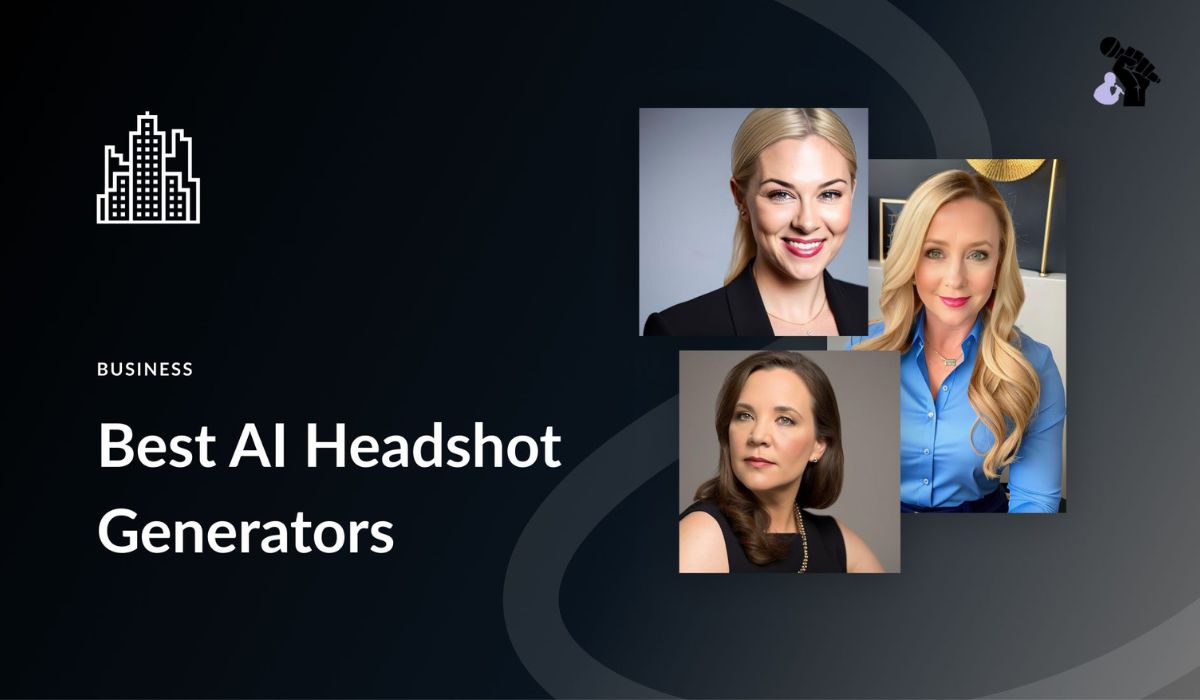
Professional headshots aren’t cheap. Studio sessions cost hundreds of dollars.
But AI changed everything. Now you can create polished portraits in minutes—completely free. These tools use smart algorithms to transform casual selfies into corporate-ready images.
Let’s explore which generators deliver real results in 2025.
HeadshotMaster: Fast Results and Simple Controls
HeadshotMaster built its reputation on one thing: reliability.
Upload a selfie. Get professional results in under two minutes. No complex settings to adjust.
The free version handles natural lighting beautifully. Simple backgrounds work best here. Students love it for LinkedIn profiles. Job seekers use it for résumés.
Key Features
| Feature | Details |
| Processing Speed | Under 2 minutes |
| Image Quality | High-resolution, realistic |
| Free Tier Limitations | Limited style options |
| Best For | School platforms, résumés, early-career profiles |
| Learning Curve | None—completely beginner-friendly |
What makes it different?
Clean processing without artificial shine. Faces look realistic, not over-edited. The interface won’t confuse beginners.
The app excels with natural light conditions. Simple backgrounds produce better results than busy ones.
However, style options stay limited in free tier. You can’t experiment with creative backgrounds or artistic poses.
Who should use HeadshotMaster?
- Students needing school headshots quickly
- Job seekers updating résumés
- Professionals wanting minimal editing time
- Anyone seeking straightforward professional portraits
The tool doesn’t require photography knowledge. Upload and download—that’s it.
Results suit traditional corporate environments perfectly. Conservative industries appreciate the clean, polished look.
Canva Headshot Maker: Great for Visual Branding
Canva doesn’t just generate headshots—it lets you design around them.
This matters more than you’d think. Create your portrait, then instantly build matching résumés or banners. Everything stays in one platform.
Platform Integration Benefits
| Advantage | Impact |
| Template Access | Thousands of ready-made designs |
| Color Matching | Automatic palette coordination |
| Text Overlay | Add names, titles instantly |
| Export Options | Multiple formats available |
| Editing Tools | Full design suite included |
Why designers prefer it:
Templates sync with your generated image. Color schemes adapt automatically. Text overlays add professional polish.
You can create complete branding packages. Headshot plus business card plus email signature—all matching.
The free plan restricts style variety. Paid users get access to premium poses and backgrounds.
Unique advantages for personal branding:
- Profile banners match headshot aesthetics
- Project graphics maintain consistent look
- Social media posts coordinate visually
- Portfolio presentations feel cohesive
Still, integration with Canva’s editor makes this tool incredibly versatile. No switching between apps or downloading files repeatedly.
Content creators find this especially valuable. Your online presence looks professionally coordinated across platforms.
Best Use Scenarios
- Building complete visual identity
- Creating marketing materials
- Designing portfolio websites
- Preparing presentation decks
- Developing social media content
The headshot becomes part of bigger projects seamlessly. This saves hours of manual design work.
Fotor AI Headshots: Creative and Versatile
Not everyone needs a stiff corporate look.
Fotor understands this. Their generator offers casual, artistic, and stylized options. Content creators find this refreshing.
Style Variety Comparison
| Style Type | Availability | Best For |
| Corporate | Free | Traditional jobs |
| Casual | Free | Social media |
| Artistic | Free | Creative portfolios |
| Stylized | Free | Personal branding |
| Custom Backgrounds | Free (Limited) | Diverse environments |
Best use cases:
Social media profiles that need personality. Creative portfolios requiring unique aesthetics. Students wanting approachable headshots.
Free users can experiment with different backgrounds. Lighting adjustments stay available without upgrading.
The tool doesn’t force one-size-fits-all solutions. You pick the vibe matching your industry.
Why creative professionals choose Fotor:
Diversity in style options matters. Some careers demand approachability over formality.
Young creators prefer whimsical online environments. Fotor delivers those aesthetic options without charging fees.
Advanced features require payment. But basic tools satisfy most needs perfectly.
Background Options Available
- Neutral studio settings
- Outdoor natural environments
- Abstract artistic backdrops
- Solid color choices
- Minimal clean spaces
Each background type serves different professional contexts. Musicians need different vibes than accountants.
Fotor recognizes this reality. Their free tier accommodates various career paths effectively.
Processing quality:
Facial clarity remains sharp across styles. Artistic filters don’t blur important details.
Skin tones render naturally under different lighting conditions. Hair textures process without weird artifacts.
The tool handles diverse features well. All ethnicities receive equal quality treatment.
Supawork AI: Large Style Library at No Cost
Supawork shocked competitors with its free offerings.
No watermarks on final images. Extensive style library at zero cost. High facial clarity across all outputs.
Free Tier Comparison
| Tool | Watermarks | Style Options | Download Limits | Quality Level |
| Supawork AI | None | 50+ | Unlimited | High |
| HeadshotMaster | None | 10+ | Unlimited | High |
| Canva | None | 15+ | Unlimited | Medium-High |
| Fotor | None | 30+ | Unlimited | High |
| BetterPic | Optional | 8+ | 5 per month | Very High |
Technical advantages:
Handles poor lighting conditions well. Processes uneven shadows effectively. Works with imperfect selfies.
Users praise the pose variety available free. Background options exceed expectations for no-cost tools.
This makes Supawork an excellent all-purpose choice. Quality matches paid alternatives in many cases.
Why Supawork stands out:
Most tools restrict features to push upgrades. Supawork takes opposite approach.
They provide genuine value without paywalls. Users don’t feel pressured to subscribe.
The strategy builds loyalty. People recommend it because it actually delivers.
Processing Capabilities
- Dim lighting correction
- Shadow balancing
- Facial feature enhancement
- Background blur effects
- Skin smoothing (natural level)
You don’t need perfect selfies. The AI compensates for common photo flaws.
Real user scenarios:
Someone takes a bathroom mirror selfie with uneven lighting. Supawork corrects it into professional portrait.
Another person submits outdoor photo with harsh sunlight. Tool balances exposure beautifully.
These practical advantages matter tremendously. Not everyone has ideal photography conditions.
Pose and Background Library
| Category | Options Available |
| Professional Poses | 20+ variations |
| Casual Poses | 15+ variations |
| Creative Poses | 12+ variations |
| Studio Backgrounds | 25+ options |
| Outdoor Backgrounds | 18+ options |
| Abstract Backgrounds | 10+ options |
The variety prevents everyone from having identical headshots. Personalization stays possible within professional boundaries.
BetterPic Lite: Polished Results With Limited Free Access
BetterPic produces studio-grade results. Lighting looks professionally arranged. Skin textures appear natural, not plastic.
Quality vs. Access Trade-off
| Aspect | Free Version | Paid Version |
| Image Quality | Studio-grade | Studio-grade |
| Monthly Downloads | 5 images | Unlimited |
| Style Variations | 8 options | 50+ options |
| Processing Speed | Standard | Priority |
| Support Level | Community | Direct |
The catch?
Free tier limits downloads significantly. Style variations decrease without subscription. You’ll hit restrictions quickly.
Yet quality justifies these limitations. Many users stay with free version despite constraints.
Final portraits look expensive. That’s why professionals keep returning.
Technical excellence:
Lighting mimics professional photography setups. Three-point lighting appears naturally balanced.
Skin texture rendering surpasses competitors. Pores and natural features stay visible without looking harsh.
Eye catch light adds life to portraits. This small detail makes huge difference.
Who Benefits Most
- Executives needing premium corporate photos
- Actors requiring casting headshots
- Professionals in conservative industries
- Anyone wanting absolute best quality
If you only need few perfect headshots, BetterPic delivers. Five monthly downloads suit many users fine.
Strategic usage tips:
Plan your headshot needs monthly. Generate variations in single session.
Test different poses before finalizing. Use free downloads wisely.
The limitation forces intentionality. You won’t waste generations on experimenting carelessly.
Quality Indicators
| Feature | BetterPic | Industry Average |
| Facial Detail | Exceptional | Good |
| Lighting Realism | Studio-level | Adequate |
| Skin Rendering | Natural | Sometimes artificial |
| Hair Texture | Detailed | Often simplified |
| Overall Polish | Premium | Standard |
These differences matter for high-stakes situations. Job interviews, media appearances, executive profiles—quality counts.
How These Tools Compare Overall
Different tools serve different needs perfectly. Here’s what matters most:
Speed Comparison
| Tool | Average Processing Time |
| HeadshotMaster | 1-2 minutes |
| Canva | 2-3 minutes |
| Fotor | 2-4 minutes |
| Supawork AI | 3-5 minutes |
| BetterPic | 4-6 minutes |
For speed: HeadshotMaster delivers fastest results with minimal setup.
Upload photo. Select basic style. Download result. Total time under two minutes.
For branding: Canva integrates headshots into complete design projects seamlessly.
Create portrait, then build matching materials instantly. Everything coordinates visually.
For creativity: Fotor and Supawork offer artistic freedom beyond corporate standards.
Style variety lets personality shine through. Not every career demands rigid formality.
For quality: BetterPic creates most polished outputs despite limited free access.
Five downloads monthly might suffice. Quality exceeds alternatives significantly.
Feature Priority Matrix
| Your Priority | Best Tool Choice |
| Fastest results | HeadshotMaster |
| Design integration | Canva |
| Style variety | Supawork AI |
| Creative options | Fotor |
| Maximum quality | BetterPic |
| Zero watermarks | Supawork AI |
| Beginner-friendly | HeadshotMaster |
| Professional branding | Canva |
Consider your end goal carefully. LinkedIn requires different aesthetics than Instagram profiles.
Résumés need formal looks. Creative portfolios allow experimentation freely.
Test multiple generators initially. Compare results using same source photo. You’ll spot quality differences immediately.
What Makes AI Headshots Actually Work in 2025?
Technology improved dramatically this year.
Facial recognition accuracy increased substantially. Lighting algorithms became more sophisticated naturally. Background removal looks cleaner than ever before.
Technical Improvements
| Advancement | Impact on Results |
| Facial mapping | Better feature accuracy |
| Lighting AI | Realistic shadow placement |
| Skin rendering | Natural texture preservation |
| Hair processing | Detailed strand definition |
| Background removal | Clean edge detection |
Key improvements:
Skin tones render more accurately across ethnicities. Hair textures process without weird artifacts appearing.
Glasses don’t create reflection problems anymore. Jewelry and accessories stay visible properly.
These generators now understand professional photography principles instinctively. They mimic studio lighting setups automatically.
Why results fool viewers:
AI learned from millions of professional portraits. Pattern recognition reached impressive levels.
Lighting angles match traditional photography standards. Composition follows established rules naturally.
Most people can’t distinguish these from real photography sessions. Quality reached that threshold finally.
Processing Behind the Scenes
- Facial landmark detection (68+ points)
- Symmetry balancing algorithms
- Color correction automation
- Contrast optimization
- Sharpness enhancement
- Noise reduction processing
All this happens instantly. Users see final results without understanding complexity involved.
Common Mistakes People Make With Free Generators
Using poor source photos ruins everything instantly.
Blurry selfies won’t magically become sharp. Extreme angles create distorted results unexpectedly. Bad lighting stays bad even after AI processing.
Input Quality Requirements
| Factor | Minimum Standard | Optimal Standard |
| Resolution | 500×500 pixels | 1000×1000+ pixels |
| Lighting | Visible face | Even, natural light |
| Focus | Clear features | Sharp throughout |
| Angle | Front-facing | Straight-on view |
| Background | Uncluttered | Simple, neutral |
What to avoid completely:
Group photos as input—AI gets confused. Heavily filtered source images reduce quality.
Photos taken from too far away lack detail. Selfies with sunglasses hide important features.
Best results come from:
Clear solo selfies with decent lighting. Neutral facial expressions work universally.
Straight-on camera angles prevent distortion. Simple backgrounds let face become focus.
Quality input equals quality output always. AI enhances existing photos—it doesn’t work miracles.
Photo Preparation Tips
- Take photos in natural daylight
- Face camera directly
- Remove distracting accessories temporarily
- Use plain walls as background
- Ensure face fills frame adequately
- Avoid heavy makeup or filters
These simple steps dramatically improve results. Five minutes of preparation saves disappointment later.
Professional Use Cases for AI Headshots
Modern workplaces accept AI-generated portraits widely now.
LinkedIn profiles don’t require studio photography anymore. Résumés look professional with AI headshots included.
Industry Acceptance Levels
| Industry | Acceptance Level | Preferred Style |
| Tech/Startups | Very High | Casual-Professional |
| Corporate/Finance | High | Formal Traditional |
| Creative/Media | Very High | Varied Artistic |
| Healthcare | Medium-High | Professional Clean |
| Education | High | Approachable Formal |
| Retail/Service | Very High | Friendly Professional |
Where AI headshots work best:
Virtual learning platforms require student photos. AI generates appropriate school headshots affordably.
Professional modeling portfolios benefit from variety. Multiple looks cost nothing with generators.
Personal branding across social media needs consistency. Generate matching photos for every platform.
Work and office directories accept AI portraits. Companies save photography budget significantly.
Real-world applications:
Freelancers build client trust through professional profiles. AI headshots establish credibility affordably.
Remote workers need polished video call appearances. Generated portraits set professional tone instantly.
Job seekers compete better with quality photos. First impressions matter tremendously online.
Cost Savings Breakdown
Traditional photography costs add up quickly.
Price Comparison
| Method | Average Cost | Time Required | Results Quantity |
| Professional Studio | $150-$500 | 1-2 hours | 5-10 photos |
| Amateur Photographer | $50-$150 | 1 hour | 10-20 photos |
| AI Generator (Free) | $0 | 5-10 minutes | Unlimited |
| AI Generator (Paid) | $10-$30/month | 5-10 minutes | Unlimited |
The savings become obvious immediately. One studio session costs more than year-long AI subscription.
Additional hidden costs avoided:
- Travel time to photography studio
- Wardrobe preparation expenses
- Makeup or styling fees
- Retouching and editing charges
- Print or digital delivery fees
AI generators eliminate these entirely. Work from home in comfortable clothes.
Future Developments Expected
AI headshot technology continues evolving rapidly.
Industry experts predict several improvements coming soon. Video-to-headshot conversion may arrive next year.
Anticipated features:
Real-time preview before generation. Try different styles instantly through interface.
Voice-controlled customization options. Describe desired look verbally instead of clicking.
Integration with professional networks. Auto-update across platforms when generating new headshot.
Enhanced diversity in representations. More body types, ages, and features represented.
The technology democratizes professional imagery completely. Geography and income won’t limit access.
FAQs
Which free AI headshot generator has no watermark?
Supawork AI provides watermark-free images in its free tier.
Can I use AI headshots for professional LinkedIn profiles?
Yes, modern AI headshots look professional enough for LinkedIn and résumés.
Do free AI headshot generators work with selfies?
All mentioned tools accept regular selfies as input for processing.
How long does it take to generate an AI headshot?
Most generators produce results within 2-5 minutes after upload.
Are AI headshots accepted by employers?
Many employers can’t distinguish AI headshots from professional photography now.
Which tool offers the most free styles?
Supawork AI provides the largest style library without requiring payment.
Conclusion
Professional photography isn’t mandatory anymore. AI generators democratized access to polished portraits completely.
Each tool brings unique strengths worth exploring. HeadshotMaster prioritizes speed and simplicity. Canva excels at design integration. Fotor embraces creativity freely. Supawork balances quality with generosity. BetterPic delivers premium results.
Test what works for your specific needs. Your perfect headshot waits—no studio required ever.

Hey, I’m James a celebrity news writer with 10 years of experience bringing you honest and exciting stories.


